





































































































































Guida praticaDisponibile in inglese
How Focus Works
First introduced back in GTA 5 alongside Red Dead's Deadeye system, Focus Mode is back for both Jason and Lucia in Grand Theft Auto VI, with a few cool upgrades. This guide teaches you how Focus works, including while in and out of combat, when pinpointing the source of a noise, and when tracking vehicles and animals.
Dati
- Trigger
- You can trigger Focus Mode by clicking in both sticks: Left Stick Click + Right Stick Click / Left Stick Click + Right Stick Click (platform not stated), at the same time.
- Time slows
- Enabling Focus slows down time and highlights interactive objects around you.
- Meter when not aiming
- If you aren't actively aiming down sights or shooting, Focus Mode won't drain your meter at all, even when you're behind the wheel.
- On foot
- Focus Mode lasts for 30 seconds when on foot and has a two-second cooldown once the 30-second limit has been exhausted.
- Reactivate on foot
- You can reactivate it immediately if you haven't drained the full 30 seconds.
- Driving
- Focus Mode lasts for 30 seconds when driving, though this is affected by speed: the faster you go, the less time you get in Focus Mode. It can drop to as low as 10 seconds if you're driving super fast.
- Driving cooldown
- It also has a two-second cooldown between uses.
- Combat
- Your meter drains if you aim when using Focus in combat. This is called Combat Focus.
- Refill
- A quick way to refill your meter when you're out of combat is to smoke a cigarette.
How to Use Focus in GTA 6
Unlike in GTA 5 where Franklin, Michael, and Trevor each had their own unique special abilities, Focus Mode works the same way for both main characters in GTA 6 and feels a lot like Michael's classic bullet-time ability.
You can trigger Focus Mode by clicking in both sticks (Left Stick Click + Right Stick Click / Left Stick Click + Right Stick Click) the same time, though how it works changes slightly depending on whether you're actively in combat or not.
Enabling Focus slows down time and highlights interactive objects around you. If you aren't actively aiming down sights or shooting, Focus Mode won't drain your meter at all, even when you're behind the wheel.
Outside of Aiming
When you aren't aiming, Focus Mode helps you spot openable doors, color-coded loot, and bad guys. It lasts for 30 seconds when on foot and has a two-second cooldown once the 30-second limit has been exhausted. That said, you can reactivate it immediately if you haven't drained the full 30 seconds.
When you use Focus while driving, you get extra breathing room to pull off tricky driving maneuvers. It won't boost your vehicle's handling like Franklin's ability used to in GTA 5, but the extra reaction time makes a huge difference when you're dodging cops or rival gangs. Plus, police officers glow blue, making them easy to spot and avoid in areas where you are wanted.
Focus Mode lasts for 30 seconds when driving, though this is affected by speed: the faster you go, the less time you get in Focus Mode. It can drop to as low as 10 seconds if you're driving super fast. It also has a two-second cooldown between uses.
Everything interactive is color-coded while Focus Mode is active:
- White highlights general things of interest, such as doors you can open and consumable items.
- Red highlights enemies, explosive objects, and alarms.
- Purple shows drugs, which you can sell to a fence for extra cash.
- Green items will highlight cash pickups.
You'll also see weapons lying on the ground highlighted in red, so you can grab them easily.
While Aiming - Combat Focus
Your meter drains if you aim when using Focus in combat - this is called Combat Focus. When you line up a shot on an enemy, you'll see yellow and red target spots appear on their body as the meter depletes.
Yellow spots indicate limbs where shots will wound or disarm them – aiming for a hand can make them drop their gun, while hitting a leg can knock them down. Red spots mark lethal target areas on the head and heart for quick kills.
Target hotspots aren't just for enemies; they show up on vehicles too. For land vehicles, aim for the tires or engine block to quickly disable them. If you're dealing with helicopters, target the engine or rotor assemblies to bring them down.
Keep in mind that aiming in Combat Focus burns through your meter fast. A quick way to refill your meter when you're out of combat is to smoke a cigarette. Additionally, if Jason/Lucia's Criminal Profile is Professional, incapacitations boosts your meter. If their Criminal Profile is Violent or worse, landing headshots increases it instead.
Searching For Noises
Another main use for Focus Mode while out in the world is to use it to find noises. Often, an event can be happening close by, but you may not be able to tell exactly where it is coming from.
Focus Mode will show sound ripples in the air, pointing you directly to the action. This is incredibly useful for scoping out Side Missions and activities, as it will help tell the difference between an NPC just talking to someone else or the start of an activity or Side Mission. These ripples will also appear for any police cars, K9 dogs, and helicopters that are actively searching for you while you're Wanted, plus any witnesses to the crime.
Vehicle and Animal Tracks
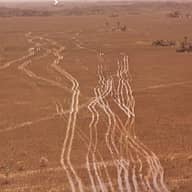
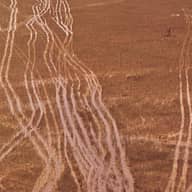
Tracking returns in GTA 6, and Focus is the way to do it! When chasing down a vehicle during a mission, using Focus will show their trails, allowing you to keep up with where they are heading.
Similarly, the animal tracking mechanic returns from Red Dead Redemption 2. When hunting for wildlife, entering Focus Mode will show you scent trails for various creatures, going so far as to inform you what animal is making the scent.
Luckily, you don't need to stay locked into Focus when tracking wildlife, as there's a prompt to track a specific animal and it will stay on your screen even after exiting Focus Mode.